If you have been submitting your resume to online job postings and hearing nothing back, your qualifications may not be the issue.
More than 90% of large employers and mid-sized companies use Applicant Tracking Systems (ATS) like Workday, Greenhouse, Lever, and Taleo to manage incoming applications. Before any human recruiter opens your file, automated software scans, parses, and categorizes your experience.
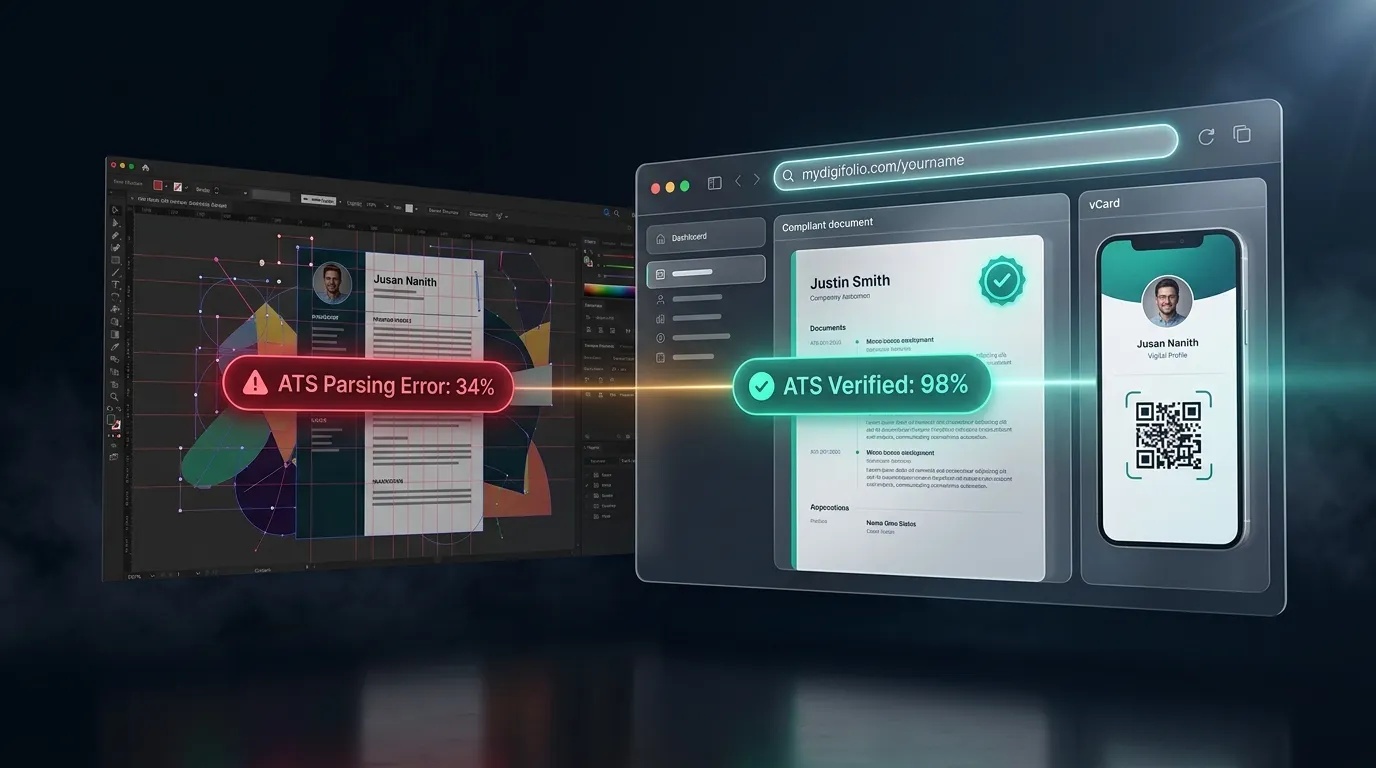
If your document uses formatting the software cannot read, your application is quietly dropped into the rejection pile—no matter how qualified you are.
Creating an ATS-friendly resume does not require expensive design software or professional writing services. Here is the exact step-by-step formula to build a resume that clears automated filters and lands on the recruiter's desk.
1. Choose a Strict Single-Column Layout
The most common reason resumes fail automated screening is the use of two-column or multi-box templates.
While two-column layouts look compact to human eyes, parsing software reads documents from left to right across the entire width of the page. When an algorithm scans two parallel columns, it often reads straight across both, merging unrelated dates, job titles, and bullet points into an unreadable block of text.
To keep your document safe:
Use a single-column, top-to-bottom layout.
Maintain clean, consistent margins of at least 0.5 to 1 inch on all sides.
Avoid using text boxes, sidebars, or floating design frames.
2. Stick to Standard Section Headings
Applicant Tracking Systems look for predictable milestones to categorize your career history. Using creative or unconventional section titles can cause the software to skip entire portions of your background.
Stick to universal labels that every ATS recognizes:
Contact Information (or Header)
Professional Summary
Work Experience (or Professional Experience)
Education
Skills
Projects (or Certifications)
Avoid stylized titles like "My Journey," "Where I've Been," or "What I Bring to the Table." Keep your headings simple and predictable.
3. Eliminate Graphics, Rating Bars, and Icons
Visual design tools often encourage users to replace words with graphic elements—such as using a telephone icon instead of the word "Phone" or showing skill proficiencies with 5-star rating bars.
ATS algorithms cannot parse graphic elements:
Graphic Icons: If you replace the word "Email" or "Phone" with a small vector graphic, the system may fail to identify your contact details entirely.
Skill Rating Bars: A graphic showing "4 out of 5 dots" for a skill means nothing to a computer program. List your skills as clear, plain-text keywords instead.
Tables: Many ATS parsers struggle to extract text contained inside tables, often scrambling cell contents or dropping them completely.
4. Optimize for Job-Specific Keywords Naturally
ATS software scans applications to match specific terms found in the employer's job description.
To improve your match rate:
Review the Job Listing: Identify required technical skills, certifications, and industry tools mentioned in the requirements section.
Integrate Terms Verbatim: If the posting asks for "Project Management" and "Agile Methodology," use those exact phrases in your experience bullets rather than abbreviations or synonyms.
Avoid Keyword Stuffing: Never paste hidden white text or unorganized lists of terms at the bottom of your resume. Modern parsers flag keyword stuffing, and any human reviewer who spots it will immediately discard your application.
5. Choose the Right File Format (PDF vs. DOCX)
There is a long-standing debate over whether to submit a PDF or a Word document (DOCX):
PDF: Best for preserving exact typography, spacing, and layout across different operating systems. As long as the PDF is generated from clean text (and not saved as a flattened image), modern ATS software parses it accurately.
DOCX: The safest universal fallback for older enterprise portals that explicitly state they do not accept PDF files.
Always check the employer's upload instructions. If both formats are accepted, a text-based, machine-readable PDF is the preferred standard.
6. Pair Your ATS Resume with a Live Portfolio URL
While a clean, text-based resume is required to pass automated screening, human hiring managers still want to see tangible proof of your work once your application clears the filter.
The best way to satisfy both requirements is to include a clean, clickable personal link—such as [mydigifolio.com/yourname](https://mydigifolio.com/yourname)—directly in your contact header.
This creates the ideal hiring workflow:
Your standardized resume passes the ATS parser with high marks.
The human recruiter clicks your link to explore interactive case studies, live code, or project metrics on your portfolio.
7. Build Your Free ATS Resume with MyDigiFolio
You do not need to manually troubleshoot formatting errors or pay monthly subscriptions to get a compliant resume.
MyDigiFolio provides a dedicated career engine that handles the technical formatting for you:
100% Free ATS Outputs: Export clean, machine-readable PDF and DOCX files built to pass enterprise screening software with top scores.
Zero Hidden Paywalls: Download your completed files instantly without trial periods, watermarks, or credit card requirements.
Automatic Portfolio Sync: Your profile automatically powers a live, personal portfolio website at
[mydigifolio.com/yourname](https://mydigifolio.com/yourname), a scannable vCard QR code, and a formatted HTML email signature.One Update Everywhere: When your experience changes, update your dashboard once, and your resume and online portfolio update together in real time.
Land More Interviews with a Verified Resume
Stop letting formatting errors and deceptive paywalls hold back your career. Build a clean, ATS-compliant resume and launch your live portfolio in under 10 minutes.
👉